
You shared an offer link. A prospect opened Stripe checkout, entered their email, and closed the tab. That intent is real--but without a follow-up, most of those sales never come back on their own.
Growth Automations -- Stalled Checkout watches for that moment and sends a configurable recovery email after a delay you control. If they complete purchase before the delay, they are not emailed. Available on the Growth plan with Stripe checkout for your offers.
The problem
Checkout abandonment is normal in online sales. Research compiled by the Baymard Institute consistently finds that a large share of started checkouts never complete--often because of timing (not ready today), distraction, or friction at payment--not because the offer was wrong.
Silent drop-off. Stripe shows activity in your dashboard, but you may never know who stalled unless you chase manually.
Too early feels pushy. A message five minutes after checkout can annoy someone who was still deciding.
Too late loses momentum. Wait a week and they have moved on--or bought from someone else.
Manual follow-up does not scale. Exporting emails and sending one-offs breaks the moment you have more than a handful of offers or checkout links.
If you are building a paid membership ladder--guest access, trials, recurring offers--every stalled checkout is revenue left on the table. See guest to paid member journey for how checkout fits the wider funnel.
The approach
Stalled Checkout is the first Growth Automation in Member Kitchens. When a Stripe checkout session expires and includes a customer email, the platform records a checkout abandoned event. After your configured delay--measured from when checkout started, not when the tab closed--it can:
Send a branded recovery email using the same template pipeline as welcome emails.
Fire integrations (Zapier, Kit, Klaviyo) at dispatch time, so your ESP or CRM can run its own sequences.
Suppress the send if the prospect already converted (subscription or access grant) before the delay elapses--so you do not email happy new members.
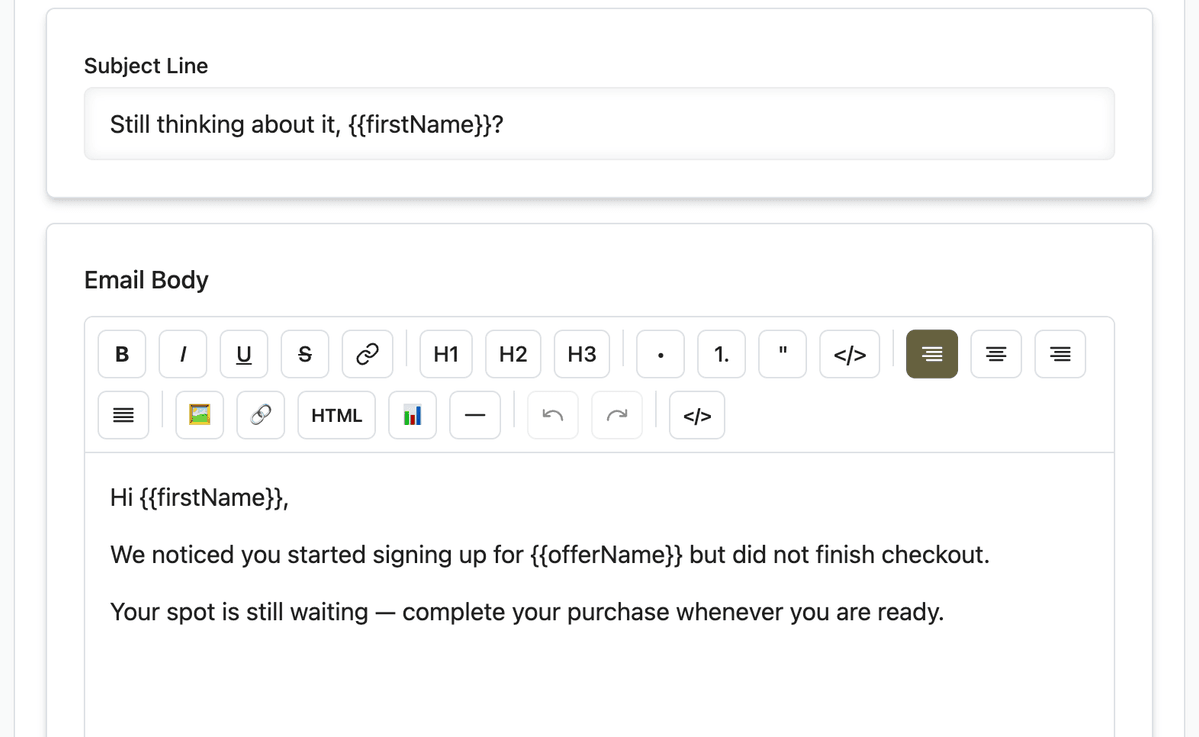
The default subject is friendly and specific: Still thinking about it, {{firstName}}? The body references {{offerName}}, and the button returns them to checkout with their email prefilled when possible.
Set it up
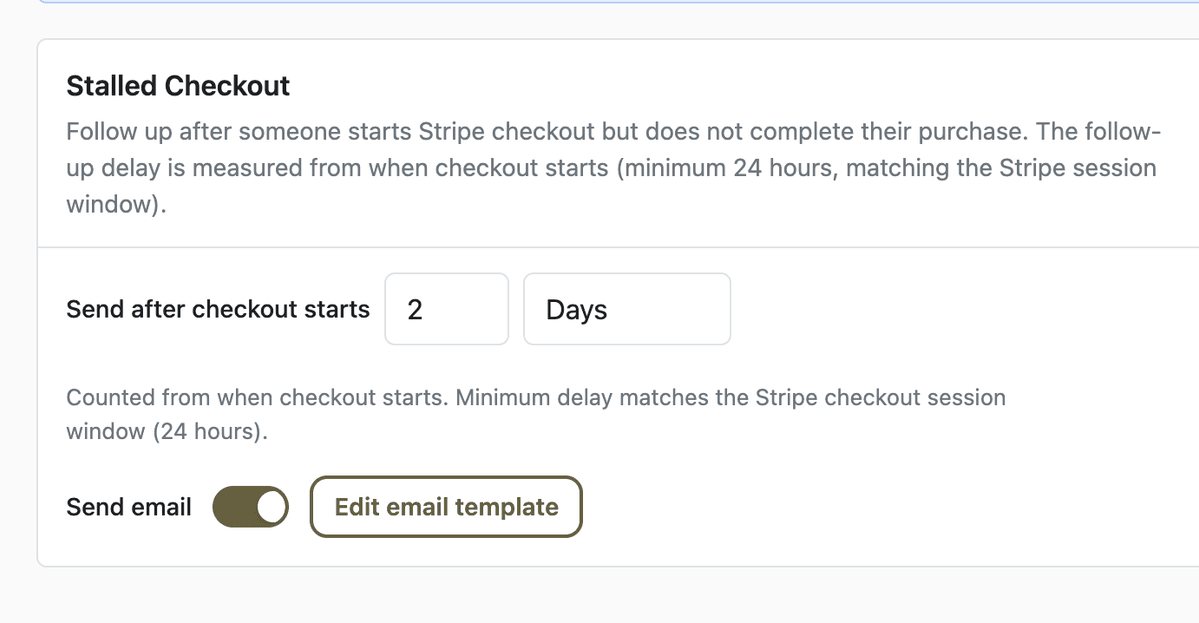
Open App Station → Monetization → Growth Automations.
Find the Stalled Checkout row and turn Enabled on.
Set the delay (default: 1 day). Minimum is 24 hours--this matches the Stripe checkout session window and is counted from checkout start.
Leave Send email on, or turn it off if you only want integration events.
Click Edit email template to open App Station → Templates → Email → Growth Automations. Customize subject, body, and button label. Variables:
{{appName}},{{firstName}},{{offerName}}.Click Send Test Email, enter your address, and confirm the branded message in your inbox.
Review results under App Station → Analytics → Growth Automations (events dispatched, conversions, conversion rate).
Settings auto-save as you change them. To route abandoned checkouts to Kit, Klaviyo, or Zapier instead of--or alongside--Member Kitchens email, use Configure Integrations from the info banner on the Growth Automations page.
Before and after
Without stalled checkout recovery
Prospects who stall checkout disappear unless you notice them in Stripe and email manually.
No shared template, timing, or analytics--every recovery is ad hoc.
Integrations never hear about the abandonment unless you wire custom webhooks yourself.
With Growth Automations
Abandoned checkouts with an email are detected automatically when the Stripe session expires.
A delayed, on-brand message nudges them back--with suppression if they already paid.
Dispatch and conversion stats live in Analytics; Zapier and ESP tools get a clean checkout abandoned event at send time.
What to do next
Confirm your access levels and offers are set up so checkout links point at the right membership tier.
Watch the stalled checkout recovery demo for a quick screen recording of enable → template → test email → analytics.
Map the same abandonment signal in Zapier or your ESP if you run multi-step nurture beyond the single recovery email.