
You deliberately keep most of your library member-only--a curated public slice hooks visitors, not your full catalog. The gap is not “give away more recipes.” It is building a ladder where each step feels worth taking for members and worthwhile for you.
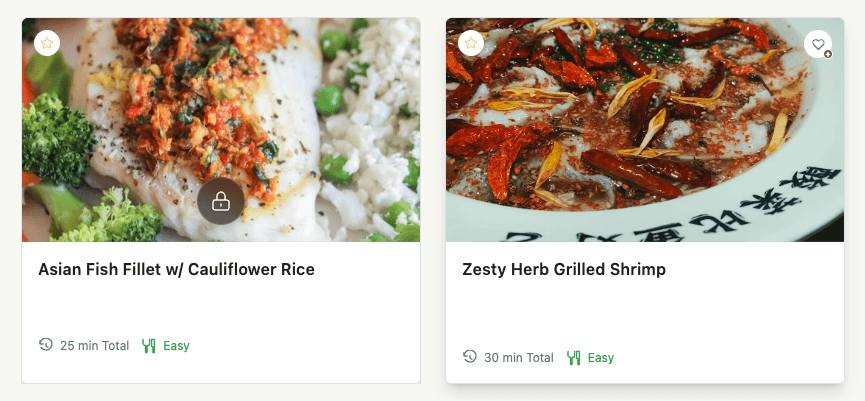
This guide maps five states--guest, free account, free tier, free trial, and paid recurring--and what to configure in App Station so value moves in both directions as someone climbs.
The problem
No progression felt. Visitors see a thin public preview, but signup and upgrade do not clearly add new value--so the path feels like a wall, not a climb. Progressive tiers in product-led growth work when each rung delivers something distinct.
Signup undervalued.
/joinis treated as “almost a member,” but a free account is its own tier--favorites, lists, My Stuff (recently viewed, completed, and more), profile, and community identity. Guests cannot use those tools. If you do not design for that, accounts stall before anyone reaches a paid offer.Trial without taste. Premium launches without a time-boxed way to experience it, so high-intent users never reach “I need this.” Product usage before purchase is one of the strongest conversion signals in freemium products.
Upgrade moments missed. Locked premium is visible but not tied to the right offer, checkout link, or nudge when intent peaks. Surfacing upgrade moments from usage turns browsing into revenue instead of frustration.
Recurring unclear. First payment succeeds, but members do not know how plan changes, renewals, or cancellation work--so retention suffers after the first charge.
The approach
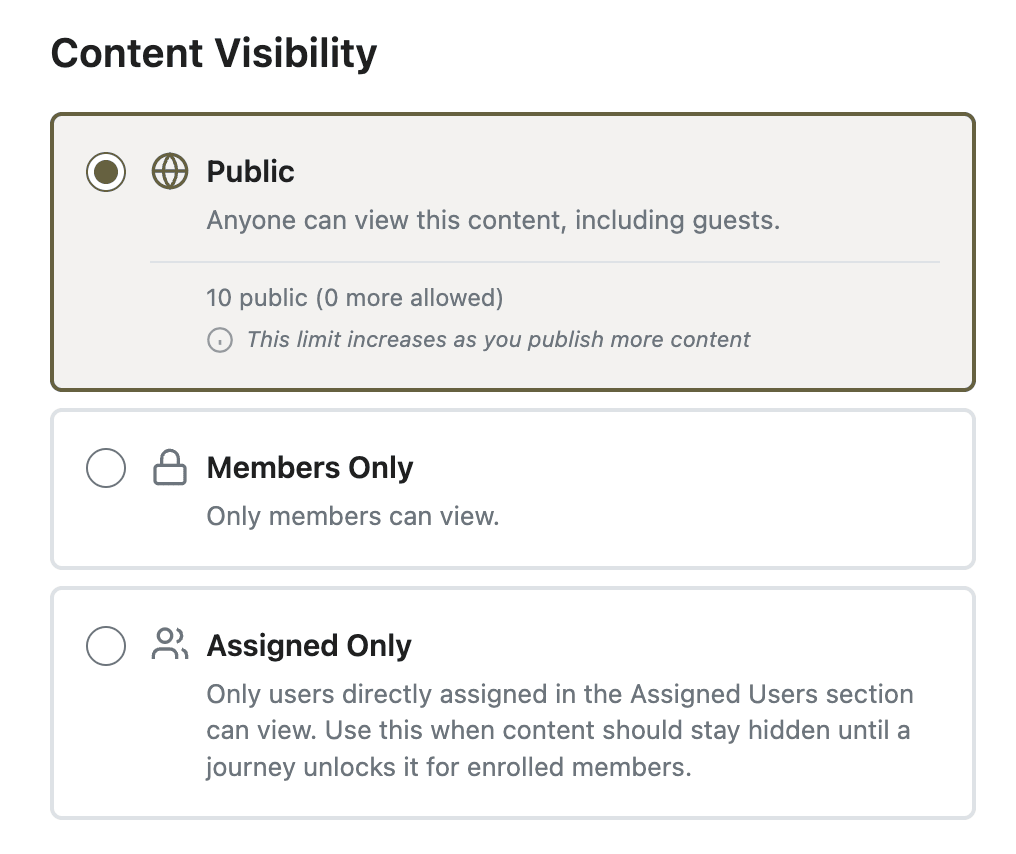
Think in permissions and commerce separately. Access levels define what content and capabilities someone can use. Offers define how they pay to get those levels. The member journey combines account + access level + Stripe state at each rung.
At every stage, ask two questions: what does the member gain, and what do you gain?
Guest -- Member gets a curated public sample (limited by design). You get reach, SEO, and teaser views on member-only content.
Free account (
/join) -- Member gets identity plus engagement tools on whatever they can access: favorites, lists, My Stuff, notification preferences. You get email, attribution, re-engagement surfaces, and forum identity.Free tier (a free access level) -- Member gets a broader content slice plus locked premium with upgrade prompts. You get habit, save-and-return behavior, and clearer upgrade CTAs.
Free trial -- Member gets full paid-tier access for the trial window. You get proof of value before billing and higher trial-to-paid intent.
Paid → recurring -- Member gets the full catalog per their offer and Manage Subscription for plan changes. You get revenue, retention, and predictable billing.
Set it up
Guest -- publish a small public set. Mark hero recipes, a sample plan, or a landing-page block as PUBLIC visibility--not your whole library. Gate the rest as MEMBERS plus access levels. Tune locked content teasers so guests see enough to care, not enough to replace membership.
Free account -- make signup worth it. Link
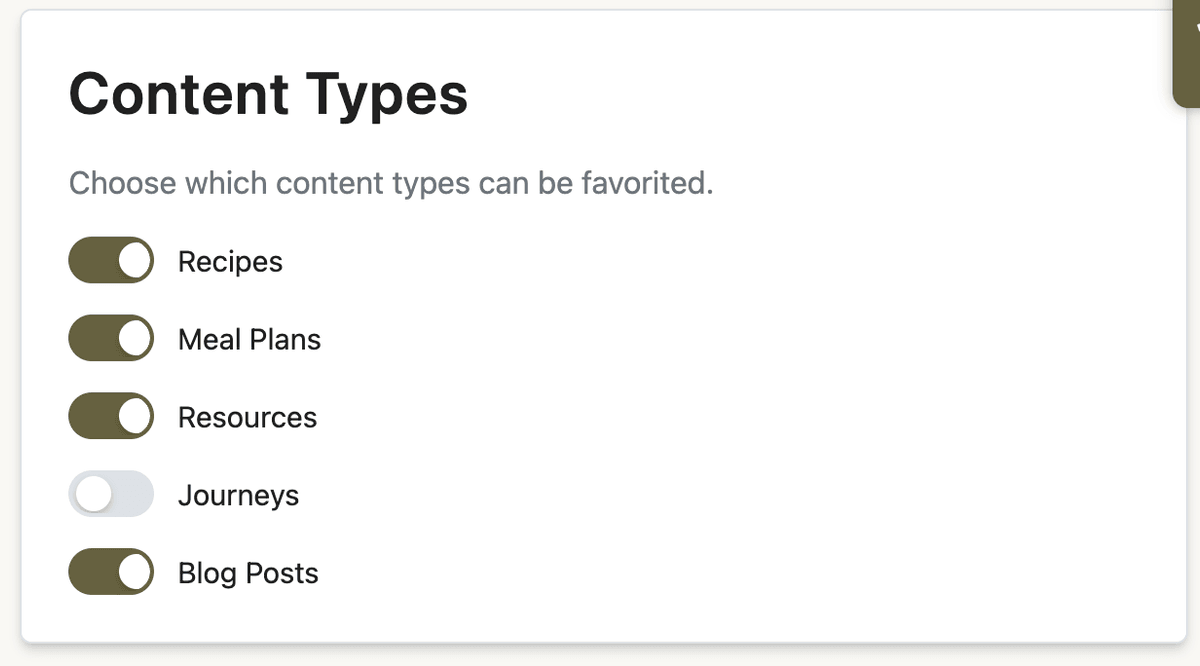
/joinfrom teasers, locked cards, and/upgrade. In App Station → Features → Engagement, confirm favorites (and ratings/comments if you use them) are enabled for the content types you want saved. In App Station → Features → Member Tools, turn on lists if you want members building personal collections. Message signup as “save favorites and build your library”--not “unlock everything.” See My Stuff for how those tools surface on the home page and/my-stuff.Free tier -- grant a bounded content bundle. In App Station → Monetization → Access Levels, create a free level (for example “Free”) and assign a deliberate content set via Manage Content. Grant it manually, via import, Zapier, or other integrations. Enable Show locked content so free members still see premium items as teasers with upgrade paths--they keep favorites and lists on both accessible and locked items they can still view.
Free trial -- let premium sell itself. In App Station → Monetization → Offers → Subscription Offers, set a trial period on the subscription you want to promote. Share the offer’s Checkout Link (
/c/[slug]) from your site, emails, or teasers. Trialing members receive the offer’s access levels immediately; Stripe bills when the trial ends.Paid → recurring -- close the loop. Checkout (guest or logged-in) grants the offer’s access levels. Active subscribers manage plans via Manage Subscription on the profile billing tab (Stripe Customer Portal) or your configured external manage URL. When plans change, access remaps to the new offer’s levels.
Re-engage between rungs. Use push notifications for trial endings and win-backs; seed forum threads so free members have a reason to return; align weekly highlights with what each tier can actually open.
Before and after
Without a deliberate ladder
A thin public hook with no clear “why sign up?”
Free accounts that feel empty even though engagement tools exist
Trials rare or invisible; revenue lumpy
Subscribers unsure how billing works after the first payment
With a two-way ladder
Curated public sample → account with real tools → optional free content tier → trial taste → paid recurring
Value at every step for members and measurable progress for you (identity, saves, lists, conversion signals)
Upgrade prompts appear when intent is highest--not only on a static pricing page
When checkout stalls, enable stalled checkout recovery so prospects get a timed follow-up instead of disappearing from the funnel.
What to do next
Define your tiers in access levels and multi-tier membership before wiring offers.
Polish guest and free-member upgrade paths with locked content teasers.
Surface favorites, lists, and recently viewed on the home page via My Stuff so free accounts feel personal from day one.