
You built a membership app people actually use--but most happy members never think to leave a Google review until you ask, and by then they have moved on. A generic “rate us” email on day three feels random. A pop-up on first login feels pushy.
Google Review Prompts ask at a better moment: after someone has done something real in your app--saved a favorite, kept a streak, finished content, or rated a recipe. Watch the demo or read on for setup.
The problem
Wrong timing. Review requests on signup or checkout catch people before they have formed an opinion--or after the delight moment has passed.
Noisy channels. Email and social posts compete with everything else; in-app prompts reach members while they are already engaged with your brand.
Social proof matters. BrightLocal’s consumer review research consistently shows that online reviews influence whether people choose a local business--reviews are discovery fuel for coaches and creators with a physical or local presence.
Compliance risk. Asking everyone to leave a five-star review regardless of sentiment is a bad look. You need a path for honest feedback without hiding the Google link.
The approach
Google Review Prompts add a short, two-step modal for eligible members:
Satisfaction check -- default title “Enjoying {appName}?” with Yes, I love it! and Not really.
Positive path -- “Thanks for the love!” and a Leave a Review button that opens your Google review link in a new tab.
Negative path -- optional private feedback; members can still leave us a review on Google below the form.
Design choices that keep it respectful:
One prompt per member -- once shown, they are not asked again (even if they close the tab).
Engagement milestone -- triggers use existing activity stats (favorites, streak, content completed, recipes rated), not arbitrary timers.
Session gate -- the prompt waits until the member has clicked or tapped at least three times in the session, plus a short settle delay, so brand-new visitors are not interrupted.
Lifecycle filter -- members with a subscription scheduled to cancel are excluded.
All plans -- no separate feature gate; configure it when you are ready.
Paste the same review link you already use in Google Business Profile → Get more reviews--usually a https://g.page/r/…/review URL. No Place ID hunting required.
Set it up
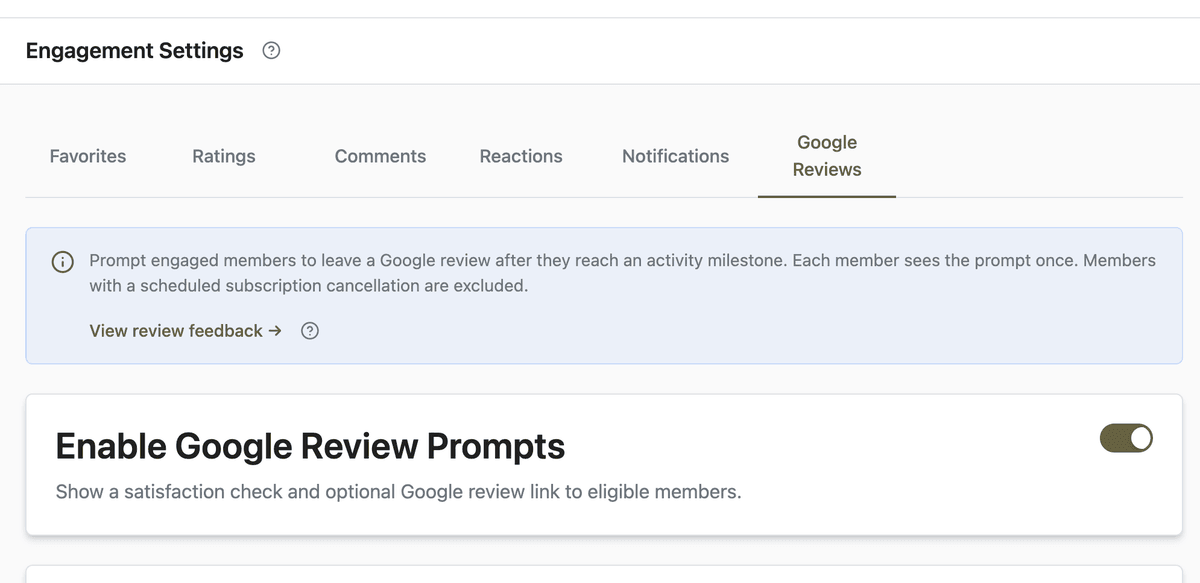
Open App Station → Features → Engagement and select the Google Reviews tab.
Turn on Enable Google Review Prompts.
Paste your Review link from Google Business Profile.
Under Prompt Trigger, choose a trigger type (e.g. Favorites saved (count)) and set a threshold that matches real engagement--start conservative (3–5 favorites) and adjust from Review Feedback data.
Optional: customize the satisfaction title or message; use
{appName}to personalize. Settings auto-save as you edit.Open App Station → Member Interactions → Review Feedback to monitor shown, accepted, feedback, and dismissed counts.
Before and after
Without Google Review Prompts
You manually ask for reviews in email or social--easy to forget and hard to time.
Happy members leave silently; unhappy members vent in public channels you do not control.
No single place to see who was prompted or who shared private improvement notes.
With Google Review Prompts
Engaged members see one polite in-app ask after a milestone you define.
Positive sentiment flows to Google; negative sentiment can stay private in your dashboard.
Accepted in Review Feedback means they clicked Leave a Review (Google submission itself is not tracked).
What to do next
Pair prompts with other re-engagement tools--see push notifications that bring members back when you publish.
If favorites are your trigger, members are already building habits in My Stuff; make sure your best recipes are easy to save.