
You publish a meal plan or kick off a forum thread--and engagement stays flat for days. Members who would have loved it simply never opened the app. Email helps, but a well-timed alert on their phone is often what pulls them back in the moment.
The problem
New content goes live and almost nobody shows up until their next random visit
Forum discussions stall because participants do not see that someone replied
Journey members miss the day a new step unlocks
You are not sure whether members can even get alerts on their phones--or whether you have turned that on
Push only works when members install your universal app (PWA) first -- plan onboarding around /app-install, not the App Store.
The approach
Push notifications send short alerts when specific events happen in your app--new meal plan, blog post, forum activity, journey step, and more. They ride on the Mobile App (PWA): members can install your app on their home screen and opt in to device alerts.
Three layers have to align before anyone sees a push:
Infrastructure -- Your plan includes the Mobile App feature, and PWA is enabled and configured for your domain
Your settings -- You allow push per event type in App Station (and optionally customize the alert text)
Each member -- They subscribe their device and choose which events send push immediately
The in-app notification bell still works without push. Push is the extra channel for members who want lock-screen alerts.
Set it up
Confirm Mobile App is available on your plan and set up. Open App Station → Security & Technical → Mobile App. If push toggles elsewhere are grayed out with a message about PWA, finish setup here or contact support to complete Progressier configuration.
Open App Station → Features → Engagement and select the Notifications tab. For each event you care about, enable Push (independently from Email):
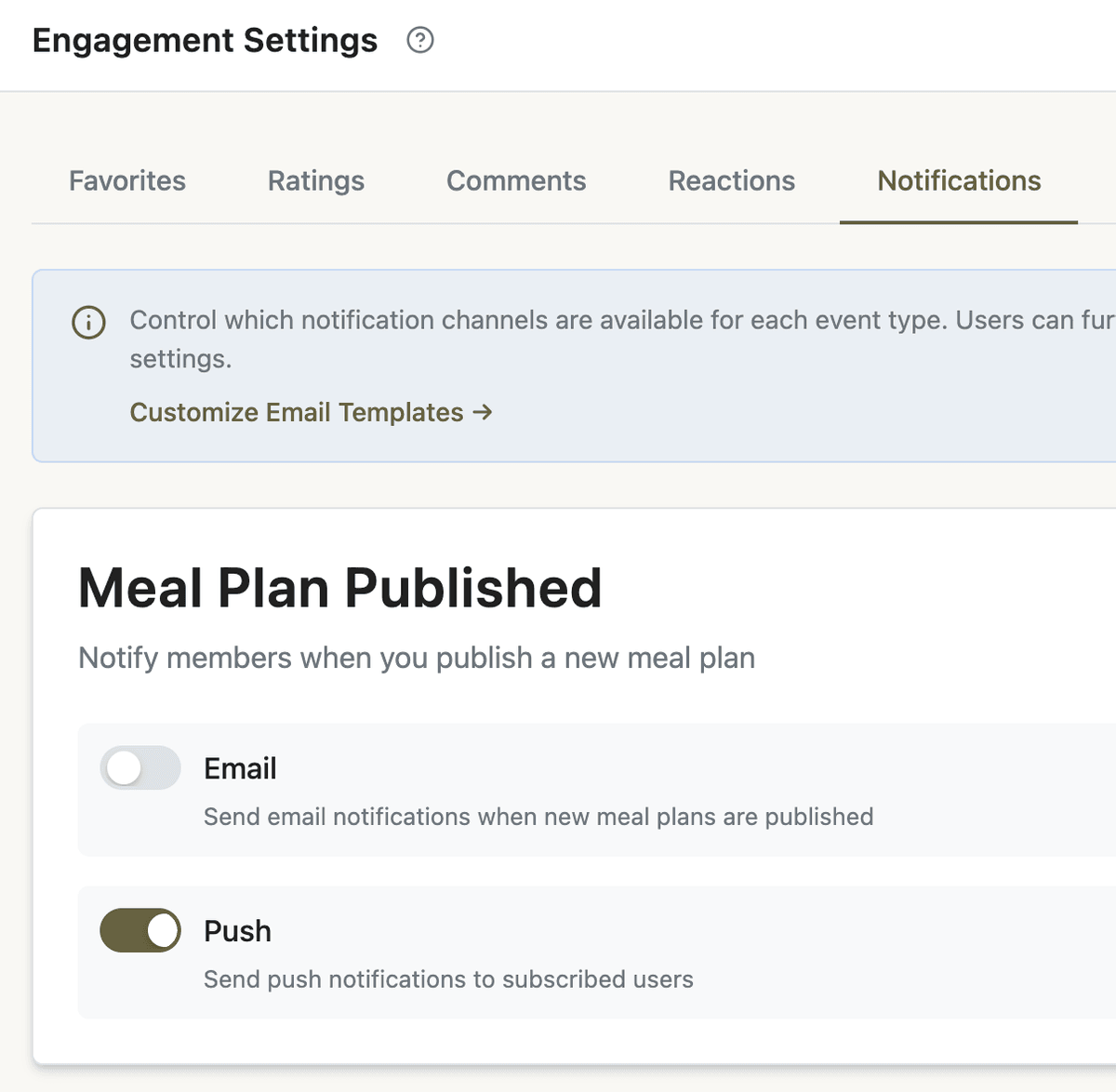
Meal Plan Published
Blog Post Published
New Forum Topic and Forum Topic Reply (when the forum module is on)
Journey Step Unlocked (when journeys are on)
Save your changes. Disabling push at the tenant level removes that option for members entirely.
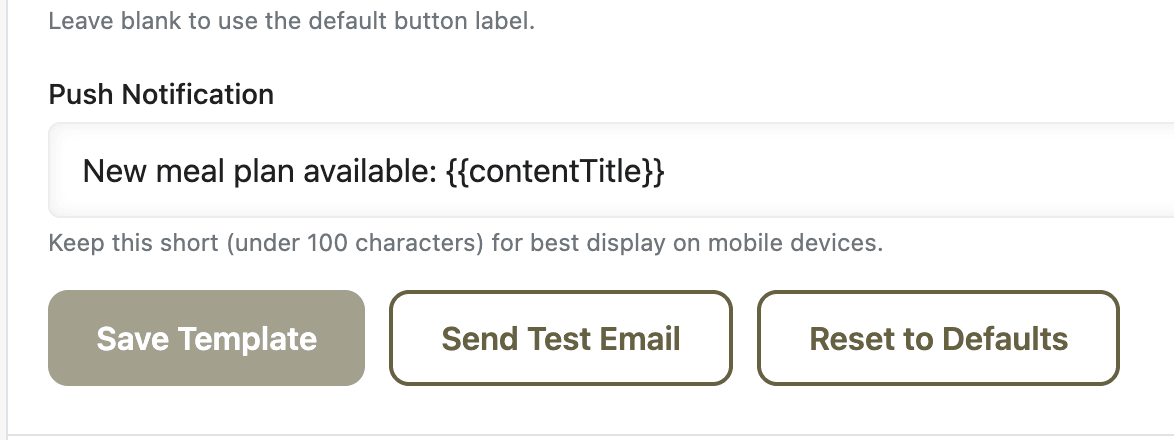
Customize alert copy under App Station → Templates → Email Templates → Notifications. Each template has a Push Notification field--keep it short (under about 100 characters). The published content title and link are handled automatically; this field is the line members read on the lock screen.
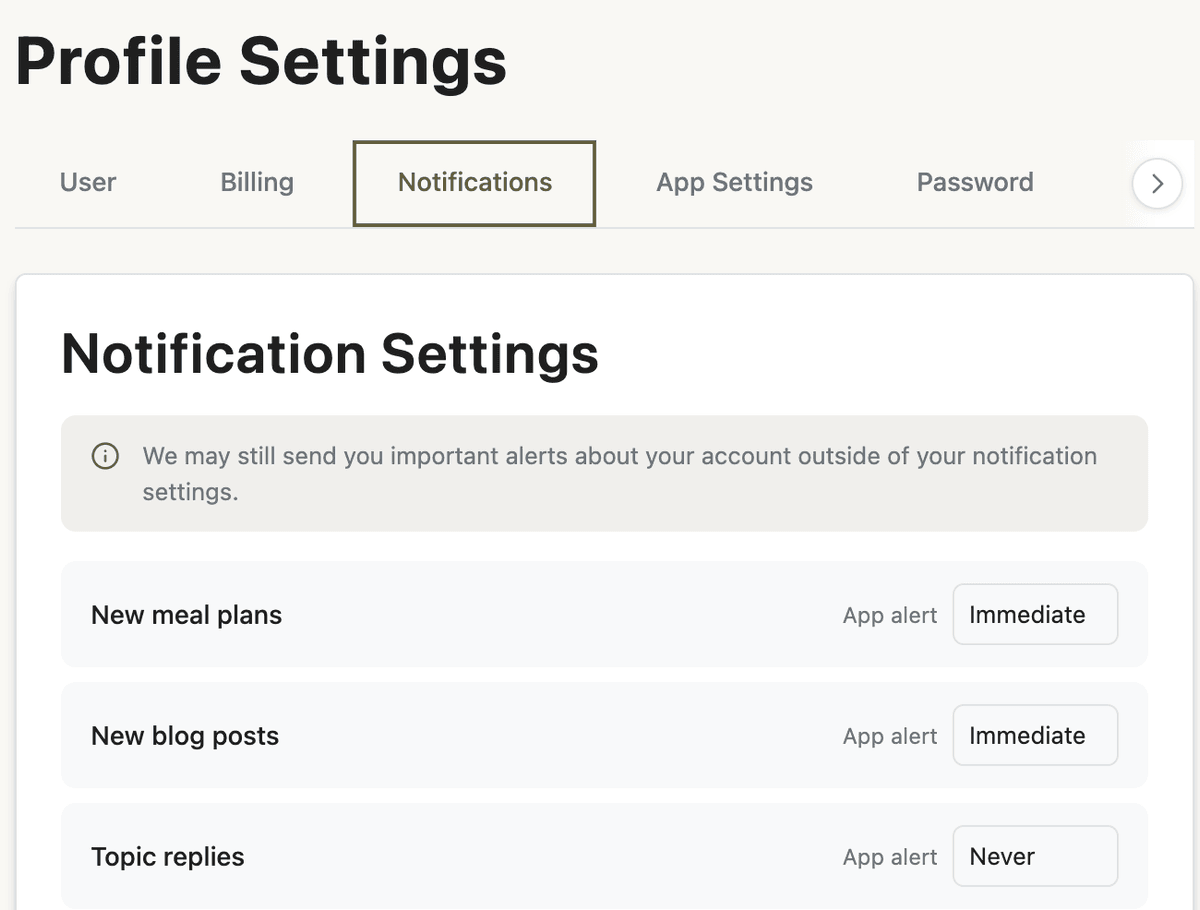
Ask members to opt in on their device: Profile → Notifications. They tap Enable Notifications to allow the browser or installed app to send alerts, then set Push to Immediate for the event types they want. Push only supports Immediate or Never--there is no daily digest push. Email can still use daily or weekly digests separately.
For forum categories, members can subscribe from the community page (bell on category cards) so New Forum Topic push only fires for categories they follow.
Note: Publish notifications for meal plans apply to admin-created plans members can access--not personal copies or member-built plans. Only members with active access (and admins) receive notifications.
Before and after
Without push
You publish and hope members discover it on their own schedule
Forum replies sit unread until someone happens to open the thread
Journey steps unlock quietly; enrolled members fall behind
With push
Opted-in members get a tap-to-open alert when you publish a meal plan or post
Forum participants see when someone replied to a thread they joined
Journey members get nudged when the next step is available
What to do next
Schedule trial-ending and win-back pushes as part of your guest-to-paid ladder, not as one-off campaigns.
Pair alerts with a weekly rhythm so members know when to expect new drops--and push reinforces that cadence.
Build discussions in your community forum; category subscriptions control which topic alerts members receive.
Make sure publish alerts land on pages that look polished--tune your home and library layouts so the first screen after a tap feels intentional.
Push will not save weak content--but when your catalog and community are worth opening, alerts remove the excuse of “I forgot to check.”
When members are back in the app, Google Review Prompts can ask for a review after they favorite a recipe or hit a streak--not only when you send a push.