
Consumer recipe apps are built for infinite choice--trending feeds, algorithms, and filters members figure out on their own. Your kitchen is different: members subscribe to your program, not a generic catalog.
Saved Presets are how you publish that curation--named, one-click recipe bundles that express what “quick weeknight,” “high protein,” or “phase 2” means in your library.
The problem
B2C apps delegate discovery to the member. Search bars and sliders assume users know what they want. In a coaching or subscription kitchen, you are the guide--and an empty advanced filter panel feels like a consumer app, not your brand.
Your editorial work stays invisible. You tag recipes, set nutrition, and organize content--but if members scroll the whole library every visit, that structure never surfaces as guidance.
Choice overload grows with library size. As options multiply, so does the effort to decide--members freeze, pick favorites on repeat, or leave. Research on choice and simplicity shows that more options often make decisions harder, not better.
Quick Filter Chips handle one knob at a time. The Quick Filter Chips tab (≤30 min, low calorie, etc.) is useful--but program rules are bundles: tags + time + exclusions + macros together. Only Saved Presets express that as a single curated path.
Meal plan sections need your intent. Without section defaults, “Breakfast” and “Meal prep” open the same undifferentiated catalog--like browsing a B2C app instead of following your plan layout.
The approach
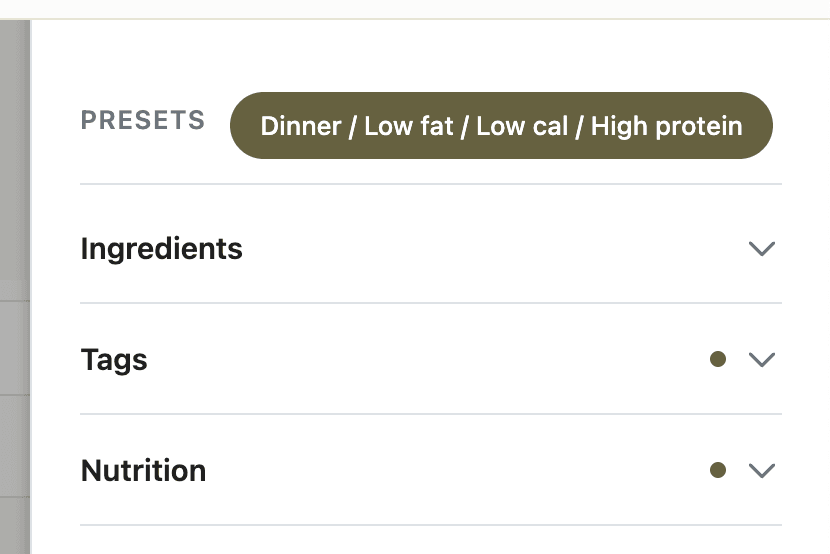
Saved Presets are named filter bundles you author once in App Station and members apply with one click. Each preset stores full criteria--tags, include/exclude ingredients, difficulty, time, servings, nutrition--in plain language members recognize (Quick Weeknight Dinners, High Protein, Meal Prep Friendly).
This is curation you can ship:
You encode program rules instead of expecting members to invent filters every session.
Members inherit your lens--closer to following a coach’s recommendations than shopping an algorithmic feed.
One preset replaces the whole filter state when tapped (clear mental model, not a confusing stack). If a member adjusts a slider afterward, a * marks the preset as modified; they can clear and pick another.
Meal plan sections can default to a preset so adding recipes to a custom section opens pre-filtered to your intent.
Good filter UX still needs structure, not endless knobs--faceted search guidance applies here too: presets are your pre-built facets, published under names members understand.
Saved Presets are separate from Quick Filter Chips (single-dimension shortcuts inside the filter panel) and from the Recipe filter tab (which sections members see). All three live on the same admin page but serve different jobs--presets are the curated bundles.
Set it up
Open App Station → Features → Filters → Saved Presets.
Click Create preset. Name it in program language--outcome or occasion, not internal filter jargon.
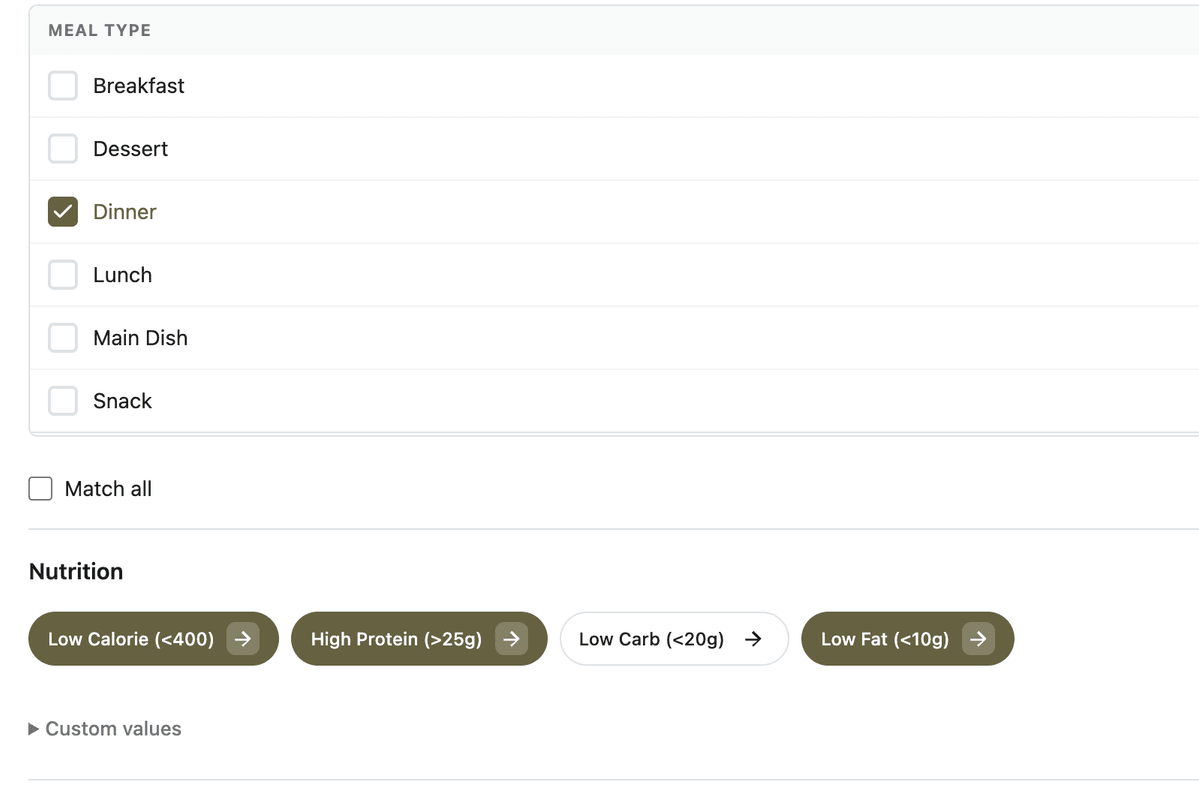
Build criteria in the embedded filter form (same dimensions members see: ingredients, tags, difficulty, time, nutrition). This is you defining what belongs in the bundle.
Set Order for chip sequence on member pages. Toggle Active off to retire a preset without deleting history.
Publish a recipe search or list page with Advanced Recipe Filter (or a Search block). Confirm preset chips appear in the Saved Presets row above the accordion.
Optional: in the meal plan layout editor, assign a preset to a custom section. When an editor opens Add recipes for that section, your curation auto-applies. System sections (prep, advance prep) never auto-apply.
Prerequisite: on the Recipe filter tab, enable the accordion sections your presets rely on--see customize recipe search filters.
New tenants receive sample presets (e.g. Quick Weeknight Dinners, High Protein, Low Calorie) you can edit to match your program voice.
Before and after
Without curated presets (B2C-like)
Members self-serve search across the full library every visit
Tags, nutrition, and program phases stay buried in the catalog
Meal plan slots feel like random picks from a consumer app
Decision fatigue grows as the library grows
With Saved Presets (your curated kitchen)
One tap applies your definition of “quick,” “low carb,” or “meal prep”
Presets make your editorial structure visible and repeatable
Section defaults reinforce how you designed the plan layout
Members feel guided through your program--not lost in generic choice
What to do next
Enable filter sections and quick chips in customize recipe search filters before expanding your preset library.
Keep preset ingredient and tag filters accurate with a consistent ingredient library.
Pair curated discovery with curated cadence--weekly schedules tell members what to cook; presets help them find what fits when they browse on their own.
Surface a filter preset as a tap target on home with a Content Stacks stack sourced from that preset.