
Your members generate a shopping list from a meal plan--then real life splits three ways: walk the aisles, order delivery, or paste into Reminders on their phone. You do not need separate buttons for each path.
One Shop menu on the meal plan header and shopping list blocks covers in-store check-off, partner checkout, and export--so the list keeps working after they leave your app.
What it is
The shared Shop dropdown bundles every shopping action in one place:
In Store -- full-screen check-off mode while shopping
Shop at Walmart -- map ingredients to products, review matches, open a Walmart cart (when enabled)
Get ingredients -- Instacart’s official CTA; creates a list link on Instacart Marketplace (when enabled)
Share list, Copy list, and Send to phone (QR on desktop) -- export the current list
Formatted / Plain toggle -- controls how copy, share, and QR encode the list
The same menu appears on the Meal Plan Header block (action button Shop), the Meal Plan Shopping List block, and the Category Shopping List block for collection-wide lists.
Where to start
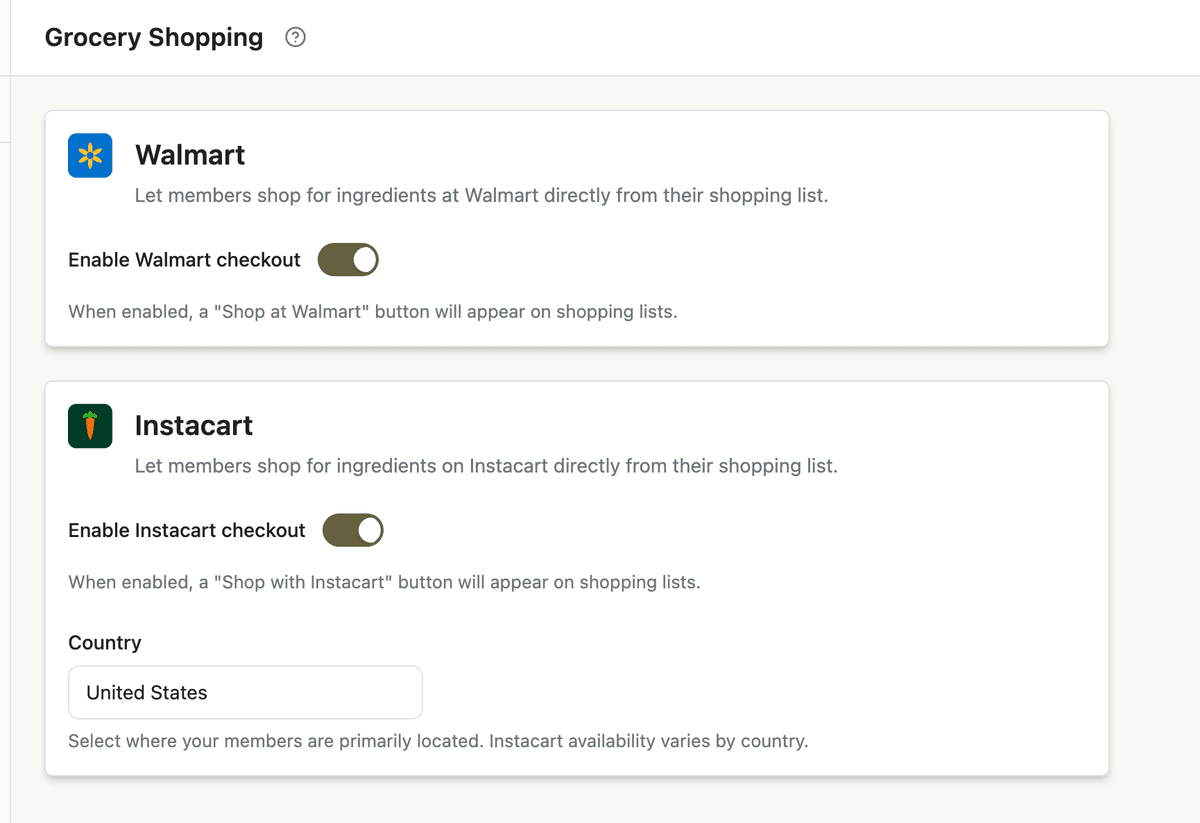
Grocery partners (optional): App Station → Integrations (under Security & Technical) → Instacart or Walmart. Both open the shared Grocery settings page. Turn on the integration and save credentials before members see partner buttons.
List quality: Shopping lists aggregate from your ingredient library and aisle assignments. Component recipes roll in automatically--see component recipes if you use sub-recipes in plans.
Expose Shop on member pages: Page Builder → meal plan detail → confirm Meal Plan Header has the Shop action enabled, and/or add a Meal Plan Shopping List block. For collections, add Category Shopping List.
Optional curation: In the meal plan editor, open the Shopping List tab to exclude pantry staples or add extras before members generate their list.
How it works -- In Store
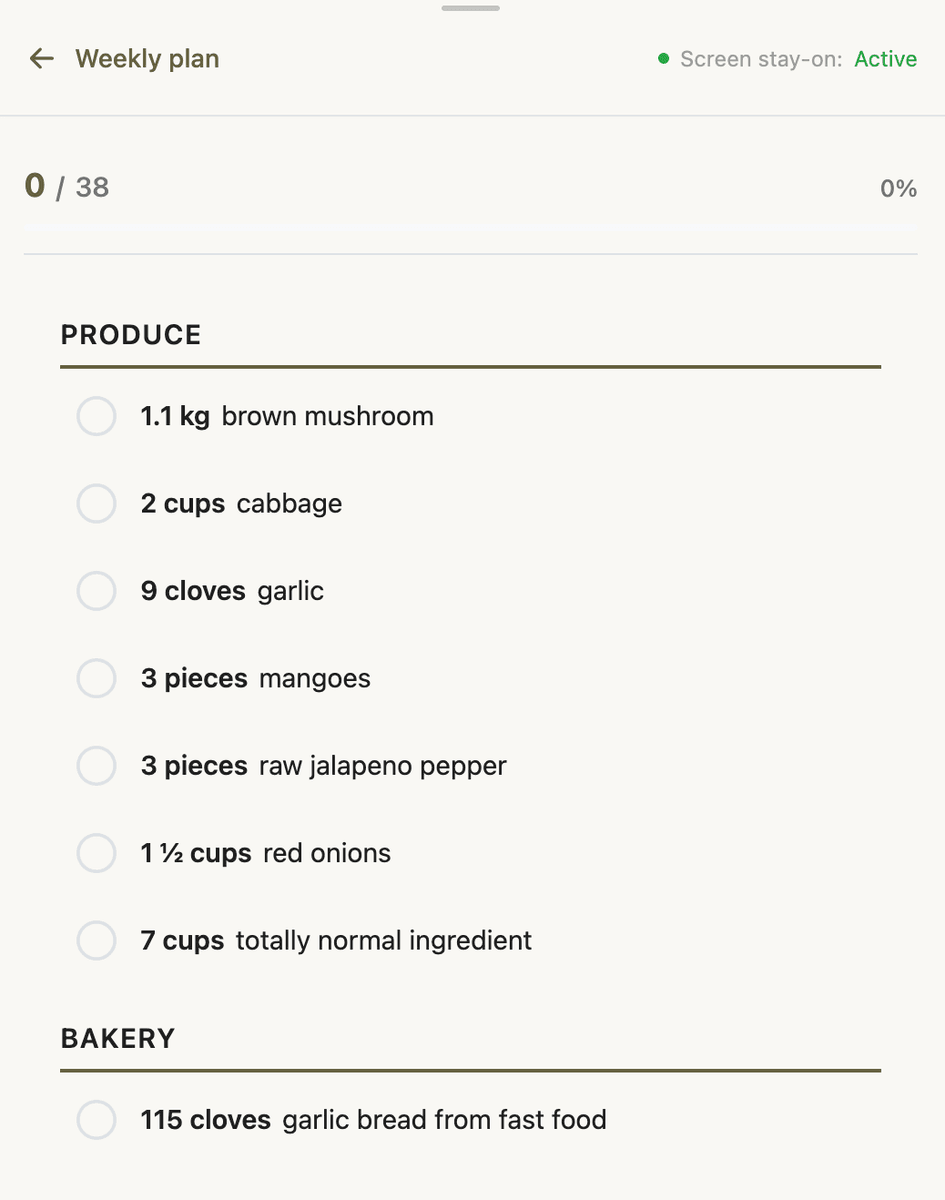
In Store switches the list into shop mode: large rows, tap to scratch off items as purchased, and optional “move purchased to bottom” so active items stay on top. This is for members who keep your app open in the cart--not for copying the list elsewhere.
Shop mode pushes browser history so the back button exits cleanly. Use it when you expect in-aisle shopping; use export options when members shop from another app.
How it works -- Walmart and Instacart
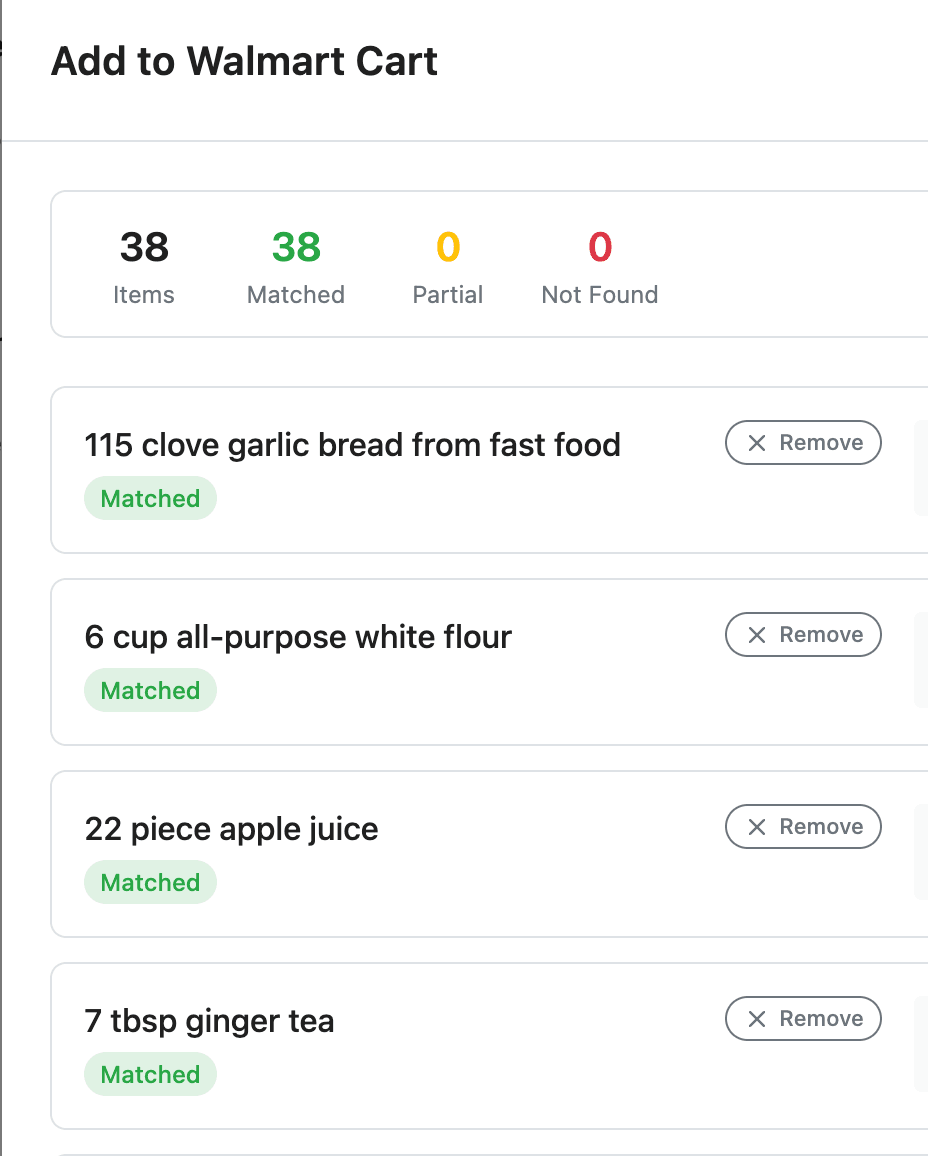
Shop at Walmart runs a multi-step flow: enter zip code (saved to the member profile for next time), map list lines to Walmart products, review matches in a dialog, then open a pre-populated Walmart cart URL. Partner buttons disable when every item is already checked off--there is nothing left to buy.
Get ingredients (Instacart) is a single step: one API call creates a shopping list page on Instacart; Instacart handles store matching and checkout. The button uses Instacart’s required branding and label.
Both integrations are hidden while admins curate a list in the meal plan editor’s Shopping List tab. They only appear on member-facing lists when the tenant integration is enabled and a list exists.
How it works -- Share, copy, and send to phone
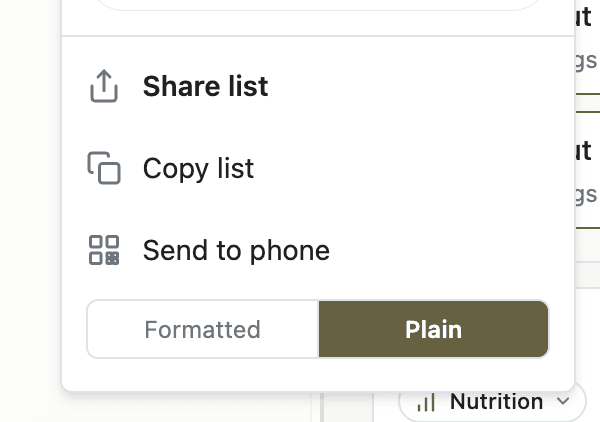
Export respects the list as the member sees it: removed lines are omitted; pantry items follow the “hide pantry” toggle; scratched-off items can append under a Purchased section when “move purchased to bottom” is on.
Mobile (Web Share available): Share list is the primary action. It opens the device share sheet--Messages, Notes, Reminders, email, and other installed apps. The share payload is text only (no separate title) so apps like Reminders keep the full list body instead of using a short title as the only content.
Desktop: Copy list is primary. Send to phone shows a QR code when the plain-text list is short enough to encode; scanning opens the list on a phone without retyping.
Formatted groups items under aisle headings (## Produce) with bullet lines--readable in Notes and messaging apps. Lists grouped by store section tend to make in-store trips faster than a flat scramble; organizing by store layout is a proven way to cut wandering and impulse buys.
Plain outputs one item per line with no headings or bullets--ideal for Reminders, Google Keep, Microsoft To Do, and other apps where each pasted line becomes its own task. QR export always uses plain text. The member’s choice persists in the browser for the next visit.
A simple written list also helps members stick to the plan at the store--USDA guidance on using a shopping list treats it as a basic tool for purposeful trips.
What to configure
Integrations → Grocery: Enable Walmart and/or Instacart; test with a real zip code (Walmart) and a short list (Instacart).
App Station → Features → Member Tools: Pantry and “hide pantry items on lists” if you want exports to show only what still needs buying.
App Station → Features → Ingredients: Aisle names and order so Formatted export matches how your audience shops.
Page Builder: Shop on Meal Plan Header; shopping list block on plan and collection pages.
Meal plan editor → Shopping List tab: Curate excludes/includes before members generate (optional).
What members see
A pill-shaped Shop button opens a dropdown: In Store as the hero row when shown, then partner buttons, then a divider, then Share list and/or Copy list, optional Send to phone, and the sticky Formatted / Plain toggle at the bottom. Category lists use the same menu after they generate an aggregated list from the collection.
If members personalize a plan--swaps, servings, or ingredient edits--the list updates on regenerate; see recipe swap and meal plan customization for how those changes flow into shopping.
Quick-start checklist
Assign aisles to your most common ingredients in the ingredient library.
Enable at least export (partners optional) under Integrations → Grocery.
Publish a meal plan page with Shop and a shopping list block.
On a phone, open Shop → Share list with Plain selected; paste into Reminders and confirm one line per task.
On desktop, try Copy list with Formatted and paste into Notes; confirm aisle headings.
If lists are short, test Send to phone QR from desktop to a phone browser.
If Walmart is on, run one test shop with your zip code and adjust any bad product matches in the review dialog.
Closing
Shopping lists earn their keep in the last mile--in the aisle, in Instacart, or on a phone lock screen. Turn on the options your members actually use, and mention Formatted vs Plain in onboarding so exports land in the right app the first time.